
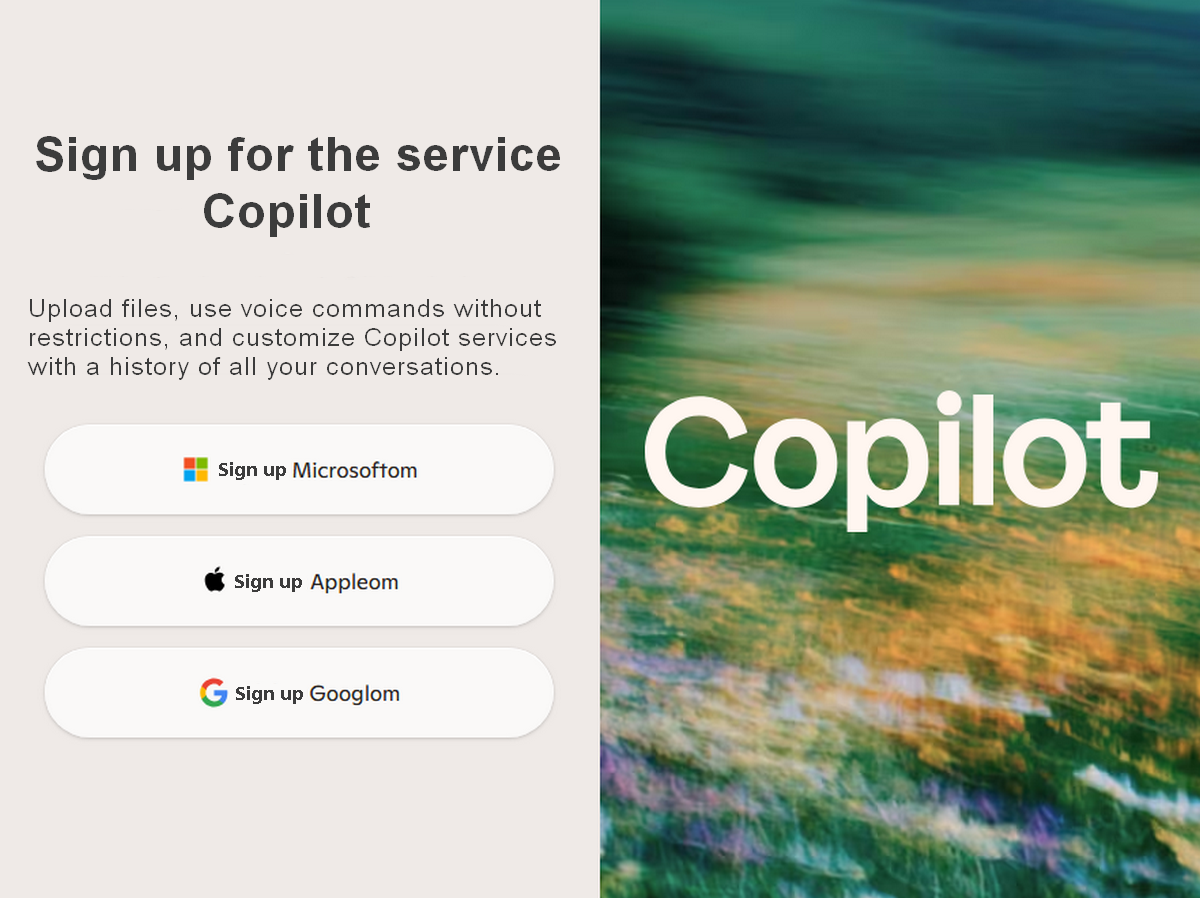
Why Copilot Requires Sign-In: How to Fix the Issue So I Can Chat Without Log-in
When Copilot Suddenly Stops Working, Red Alarms Go Off
Microsoft Copilot is one of the most popular AI assistants online, so it comes as a shock to many when something happens that shouldn’t: Copilot, as a website, isn’t working anywhere—not on Android, not on iOS, not in Chrome, not in Firefox, not in Safari, and not in Samsung Internet.
A desperate student called for help, so I put on my glasses and investigated this global problem in detail. Of course, I discovered where the problem lies, but is it possible to work around it—and how—when the devil is at work?
When Microsoft’s website is having issues
Copilot can still work in the Edge sidebar,
Copilot in the Edge browser on Android continues to work without signing in,
but Copilot as a website (copilot.microsoft.com) is completely inaccessible!
Yikes!
And Microsoft doesn’t seem to think these issues are worth bringing to users’ attention. This was also evident on X, where I immediately asked them a question they couldn’t answer while the student was chatting with Senca (Copilot) again.
Why is this so important? Because many people use AI chat anonymously.
Let’s take a closer look at these unusual—but technically logical—issues from a more technical perspective.
What’s actually happening: As a website, Copilot uses a different server segment than Edge
Copilot exists in two completely separate forms, namely:
1. Copilot as a website
https://copilot.microsoft.com – uses anonymous sessions – uses regional server clusters – uses CDN nodes – uses ISP-specific routes – requires a stable server identifier
2. Copilot as an Edge integration (Windows + Android)
DOES NOT use copilot.microsoft.com – uses the Microsoft Graph API – uses the Bing Chat backend – uses the Edge internal channel – DOES NOT use anonymous sessions – DOES NOT use the same server segment
When a regional server segment goes down, exactly what my student experienced happens:
- Copilot as a website → doesn’t work anywhere
- Copilot in the Edge sidebar → works normally
- Copilot in Edge on Android → works without signing in
- Chrome, Firefox, Safari, Samsung → all require signing in
- Other people’s iPhones and Android devices → also don’t work
This isn’t the user’s fault. It isn’t his girlfriend’s fault. It isn’t the browser’s fault. It isn’t the device’s fault.
It’s a Microsoft server outage in that region.
Why doesn’t Microsoft have a support page, like any decent company?
Microsoft has status pages for:
- Azure
- Microsoft 365
- Outlook
- Teams
- OneDrive
- Bing
- Xbox Live
But Copilot, as a standalone website, isn’t listed on any of these status pages yet.
Why?
Because Copilot, as a website, is not a standalone product. It is merely a “front-end” built on top of the Bing infrastructure. If your server segment goes down, Microsoft does not announce it because:
- the outage is not global,
- it affects only a specific region,
- it affects only certain ISPs,
- it affects only anonymous users,
- and integrations (Edge, Bing, Windows) are functioning normally.
This results in a situation that appears to be a “global blackout,” but is actually a regional degradation of anonymous access.
How can you tell if it’s a regional server outage?
If the following combination occurs:
- Copilot as a website isn’t working anywhere
- Chrome isn’t working
- Firefox isn’t working
- Safari isn’t working
- Samsung Internet isn’t working
- iOS isn’t working
- Android isn’t working
- Edge as a website isn’t working
- The Edge sidebar is working
- Edge on Android is working without signing in
… then it’s 100% a regional server error.
How to fix the issue with anonymous use of Copilot when it doesn’t work without logging in
1. Use the Edge browser (Windows or Android)
Edge uses a different channel and does NOT use copilot.microsoft.com. That’s why it works even during server outages.
2. Use the Edge sidebar (Windows)
The sidebar uses the Microsoft Graph API → a completely separate system.
3. Use Bing Chat
https://bing.com/chat This often works because it uses a different server segment.
4. Use the Bing mobile app
This uses the Bing backend → independent of copilot.microsoft.com.
5. Wait a few hours
Microsoft will fix the server segment. This usually takes 1 to 12 hours.
6. Use a VPN (if you have one)
If you connect to another country (e.g., Germany, the Netherlands, the UK), Copilot as a website starts working immediately. This is the quickest way to confirm that the issue is regional.
Copilot wasn’t “broken”—it was the server segment that was down
The situation is rare, but technically entirely explainable:
Copilot as a website was unavailable due to a regional server outage affecting anonymous sessions.
Edge integration worked because it uses a different channel.
Edge for Android worked because it uses the Microsoft Graph API, not copilot.microsoft.com.
Chrome, Firefox, Safari, Samsung Internet, iOS, and Android were affected because they all use copilot.microsoft.com, which was blocked in your region.
Frequently Asked Questions (FAQ)
How can I use Copilot anonymously without signing in if Microsoft requires a sign-in?
If the web version of Copilot requires a sign-in, you can use it anonymously without signing in via the Edge browser, where it is integrated and appears as a pop-up window alongside the browser.
Does Microsoft log your chats if you’re not signed in?
No, if you chat with Copilot anonymously without signing in, your chat history isn’t logged. If you’re signed in, all activities and conversations are saved.
Is Copilot trustworthy? Can I believe everything it tells me?
Of course, you shouldn’t believe everything it says. Copilot is an AI assistant—it’s not all-knowing. When it comes to technical questions, any reasonable person should double-check its answers, because its claims aren’t infallible.